
Sorting Games
Buy sorting game source code built in Unity and C#. Browse Unity sorting game templates, ball, water, and color puzzle projects for Android, iOS, and HTML5. Every ready-to-publish project is customizable and monetization-ready with AdMob. Download now, change the look, publish on the Play Store or App Store, and start earning.



About Sorting Games
Sorting games are easy to love. You see a mess of colors, you tidy it up, and you feel good. There is no rush and no hard rules to learn. That is why so many people open these games again and again.
If you want to publish one, you do not need to build it from scratch. A ready-made sorting game project gives you the code, the scenes, and the art in one package. You open it in Unity, make it yours, and release it.
This page is a trusted market for sorting game Unity templates. Read about each type below, try the demos, and pick the one that fits your plan.
What Is Sorting Games Source Code?
Sorting games source code is the full working project of a sorting puzzle. It is written in C# and built in Unity. You get the same files a developer would use to make the game.
Inside, you usually find scripts, scenes, sprites or models, sounds, and menus. The sorting rules, the level flow, and the win screen are already done. You only change what you want and publish.
Think of it like a toy box that is already packed. You can repaint the toys, rename the box, and share it. You do not need to build every toy yourself. That is why a Unity puzzle games template is a popular pick. You save time and can test your idea sooner.
Key Features of Our Sorting Game Templates
Each project is different, so read the product page. These are the things buyers often look for:
- Complete project: scenes, scripts, and assets in one download.
- Unity C# code: files you can open, read, and edit.
- Customizable look: swap colors, items, backgrounds, and sounds.
- Ready-to-publish setup: build and send it to the stores.
- Monetization ready: AdMob support, which you link to your own account.
- Android, iOS, and HTML5 builds: check the listing for exact platforms.
- Level-based play: short rounds that are easy to repeat.
- Live demo: play it first, then decide.
Best Sorting Games On Source Plunge
- Bubble Sort Puzzle Game: Move the bubbles around until each group matches.
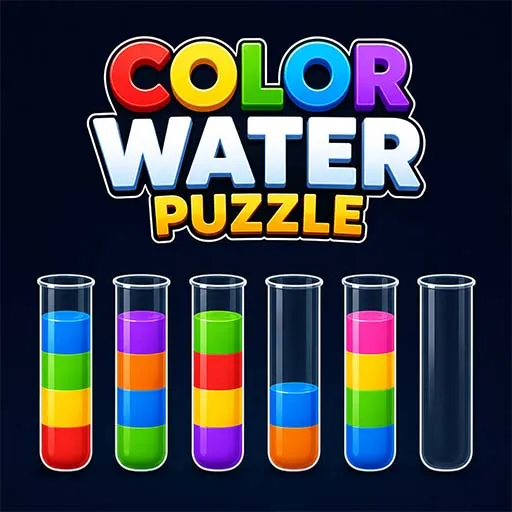
- Color Water Puzzle Game: Pour the colored water so every tube holds one color.
- Stack Match Color Hoop: Stack the hoops by color on each pole.
- Impostor Color Sort Puzzle Game: Sort the playful characters into the right color groups.
- Classify Fun Sorting Puzzle Game: Put each item into the group where it belongs.
Open any product page to see the live demo, Unity version, platform list, and included files.
What to Check Before You Buy These Games?
A game can look great in a video and still be wrong for you. Check these first:
- Unity version: make sure the project opens without errors.
- Platforms: Android, iOS, HTML5, or all of them.
- Included files: scripts, art, sounds, and extra assets.
- Controls: tap or drag, and how they feel on a real phone.
- Customization: how easy it is to change items, colors, and UI.
- Levels: how many come with it, and if you can add more.
- Ads: whether AdMob is already set up.
- Documentation: setup notes, if included.
- License: read it fully so it fits your plan.
Platforms You Can Publish On After Buying
- Android: build and upload to the Google Play Store.
- iOS: package and submit to the Apple App Store.
- HTML5: play inside a browser, with no install.
Support can change from one project to another, so confirm it on the product page.
Licensing and Usage Rights
Every product has its own license. Read it before you pay, and look for these answers:
- How many apps can you publish with one purchase?
- Can you use it for client work?
- Can you rename and reskin the game?
- Can you resell the raw source code? (Usually not.)
You can sell your finished game, but the original files are not for resale.
Who Should Buy Sorting Games Source Code?
- New developers who want to publish a first game without starting from zero.
- Students who want a real Unity and C# project to learn from.
- Small studios that need a quick base for a client game.
- Reskin sellers who turn one base into many themed games.
- Casual game publishers who want to test ideas and add ads fast.
Monetization Options
Monetization depends on the systems included in the selected project and the changes you make during development. If earning revenue is part of your plan, check the following options before buying:
- AdMob ads: Look for Google AdMob integration if you plan to display supported advertisements.
- Rewarded ads: Some templates may let players watch an ad for an in-game benefit.
- Interstitial ads: Check whether full-screen advertisements are included and configurable.
- In-app purchases: Some projects support purchases for optional game content or other digital items.
- Ad removal: Check whether the project supports a paid option to remove advertisements.
Not every game is AdMob-ready or monetization-ready by default. Confirm the integration, SDK requirements, privacy settings, and licensing terms in the individual listing. You may need to configure advertising accounts and complete additional development before publishing.
How to Buy and Use a Sorting Games Template?
Explore the category: Browse sorting games source code and identify projects that match your idea.
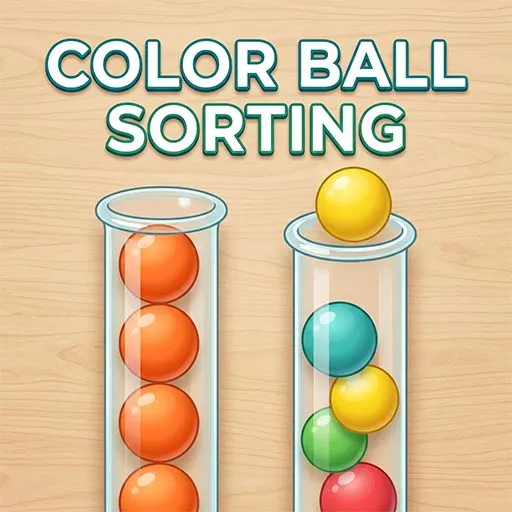
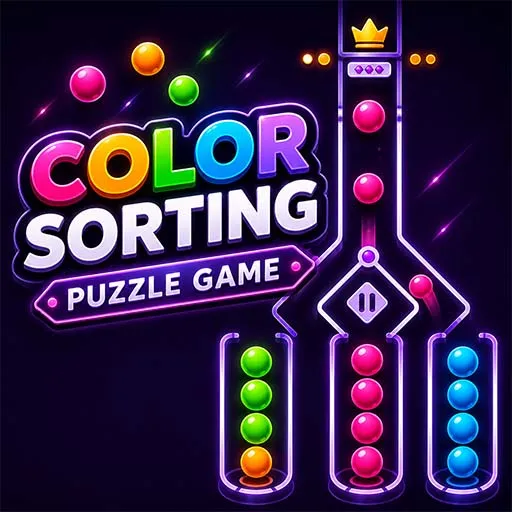
- Compare game types: Decide whether you want a water sort, ball sort, color sort, hoop stack, or object classification puzzle.
- Check the demo: Test the available preview and review the game's controls and mechanics.
- Review product details: Check the price, Unity version, included files, supported platforms, monetization systems, and license.
- Purchase the project: Complete the purchase through the product's available checkout process.
- Download the files: Access the purchased project according to the listing's delivery instructions.
- Open it in Unity: Follow the documentation and resolve any version or dependency requirements.
- Customize your game: Change the supported artwork, name, colors, levels, and interface to fit your idea.
- Test and prepare your build: Check gameplay, performance, controls, ads, and device compatibility.
- Publish your game: Follow the applicable Google Play, Apple App Store, or web publishing requirements for your chosen platform.
The time required for these steps depends on the project, your development experience, and the amount of customization needed.
FAQ's
Some Unity and C# knowledge helps. Changing art, colors, and sounds needs very little coding.
Yes. Customizable projects are made so you can swap the look easily.
Yes. Build the game, then follow each store's rules to submit it.
No. You can sell your finished game, but not the raw source code.