
Ball Puzzle Games
Buy ball puzzle game source code built in Unity and C#. Browse ready-made puzzle games, sorting game templates, and complete projects for Android, iOS, and WebGL. Every project is customizable, reskin-ready, and monetization-ready with AdMob. Download it, change the look, publish on the Play Store or the App Store, and start earning at an affordable price.


About Ball Puzzle Games
Puzzle games never go out of style. People play them on the bus, in bed, or while they wait for a friend. A ball puzzle is one of the easiest kinds to understand. You see a ball, you see a goal, and you figure out how to get there.
If you want to publish a game like this, you don't have to build it from nothing. A ball puzzle game project gives you the code, the scenes, and the art in one folder. You open it in Unity, make it yours, and release it.
On this page, you will find a wide collection of ball puzzle projects. Read about each type below, check the demos, and pick the one that matches your idea.
What Is Ball Puzzle Game Source Code?
Ball puzzle game source code is the working project behind a ball-based puzzle game. It is written in C# and built in Unity. You get the same files a developer would use to make the game from scratch.
Inside the project, you usually find scripts, scenes, sprites or models, sounds, and menus. The ball movement, the level rules, and the win screen are already done. Your job is to change what you want and publish it.
Think of it like a house that is already built. You can paint the walls, change the furniture, and move in. You don't have to lay the bricks yourself.
That is why a ready-made puzzle game is popular with new developers and busy studios. You save weeks of work and start testing your idea sooner.
Key Features of Our Ball Puzzle Game Projects
Not every project has the same features, so read each product page. Here is what buyers usually look for in this category:
- Complete project: scenes, scripts, and assets all in one download.
- Unity and C# code: files you can open, read, and change.
- Easy-to-customize design: swap colors, balls, backgrounds, and sounds.
- Reskin-ready: make a new-looking game from the same base.
- Monetization ready: AdMob support that you can connect to your own account.
- Android, iOS, and WebGL builds: check the listing for the exact platforms.
- Level-based play: short rounds that are easy to repeat.
- Demo to try first: play before you pay.
Top Ball Puzzle Games On Source Plunge
- Hit Ball Fill Puzzle Game: Hit the balls so they land in the right spot and fill the space, one smart shot at a time.
- Dig Ball Solve Puzzle Game: Dig and clear the path so the stuck ball can roll to its goal.
- Unblock the Soccer Football Puzzle Game: Slide the blocking pieces away to free the football in a fun soccer-themed puzzle.
- Ball To Ring Color Game: Guide each ball to the ring that matches its color.
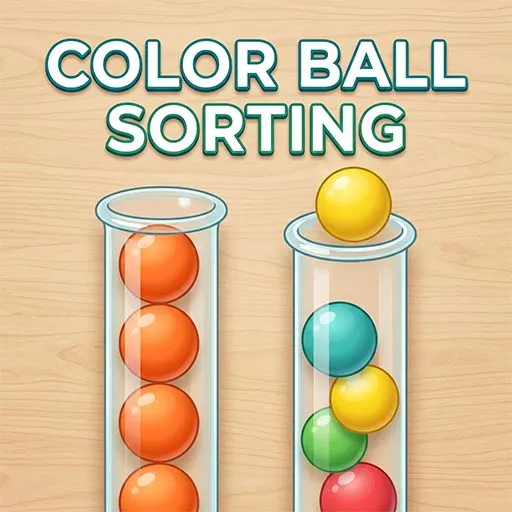
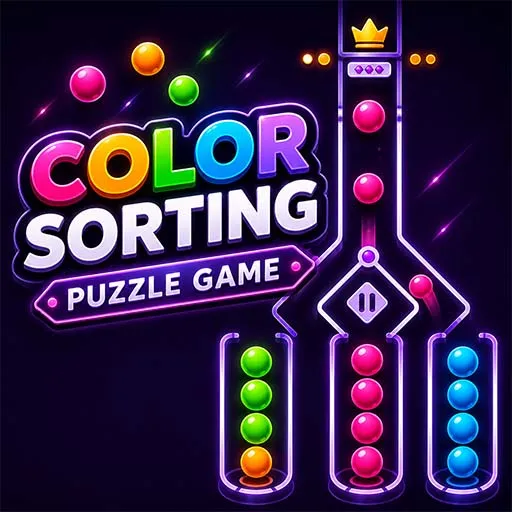
- Color Ball Sorting Game: Move the mixed balls around until every group has just one color.
Open any product page to see the live demo, Unity version, platform list, and included files. Source Plunge shows these details so you can compare before you buy.
What to Check Before You Buy?
A game can look great in a video and still be wrong for you. Go through this list first:
- Unity version: make sure the project opens without errors in your version.
- Platforms: Android, iOS, WebGL, or all three.
- Included files: scripts, art, sounds, and any extra assets.
- Controls: tap, drag, or swipe, and how they feel on a real phone.
- Customization: how easy it is to change balls, levels, and UI.
- Levels: how many come with it, and whether you can add more.
- Ads: whether AdMob is already set up.
- Documentation: setup notes or a guide, if one is included.
- License: read it fully so it fits your plan.
Platforms You Can Publish On
- Android: build and upload to the Google Play Store.
- iOS: package and submit to the Apple App Store.
- WebGL: run the game inside a web browser.
Platform support can change from project to project, so confirm it on the product page before you pay.
Who Should Buy Ball Puzzle Games Template?
- New developers who want to publish a first game without starting from zero.
- Students who want a real Unity and C# project to learn from.
- Small studios that need a quick base for a client's puzzle game.
- Reskin sellers who turn one base into many themed games.
- Casual game publishers who want to test ideas and add ads fast.
Monetization Options
A ball puzzle game can use different monetization methods depending on its design and target audience. Check the individual product listing to see which options are already included.
- Google AdMob: Look for banner, interstitial, or rewarded ad support if you plan to use advertising.
- Rewarded ads: Where implemented, these may let players choose to watch an ad in exchange for an in-game benefit.
- In-app purchases: Check whether the project includes purchase systems for optional digital items or other content.
- Custom monetization: If you need another advertising provider or payment system, confirm whether the code can support the integration.
Important: Do not assume every project is monetization-ready just because it is a puzzle game. Verify the included SDKs, configuration requirements, supported platforms, and any extra setup needed for AdMob or other services.
How to Buy and Use Ball Puzzle Game Source Code?
Ready to start your next puzzle game project? Follow these steps before completing your purchase.
- Explore the category: Browse the available ball puzzle game templates and related Unity projects on Source Plunge.
- Choose a game: Find a project that matches your preferred gameplay, such as sorting, color matching, or ball movement.
- Try the demo: Play the available preview to understand the controls and main objective.
- Check the project details: Review the Unity version, C# code, included assets, platform support, and documentation.
- Review the license: Confirm how you may customize, publish, and commercially use the purchased files.
- Check monetization requirements: Verify whether AdMob or other integrations are included and whether additional configuration is required.
- Complete your purchase: Follow the product page's checkout instructions and review the delivery details.
- Customize your game: Make permitted changes to the graphics, levels, interface, and other editable elements.
- Test before publishing: Check gameplay, performance, device compatibility, advertising behavior, and platform requirements before release.
A careful buying process helps you begin with a project that fits your plans and reduces the chance of unexpected development work.