
Match puzzle Games
Buy match puzzle game source code and ready-made Unity templates from Source Plunge. Compare complete game projects, check demos, customize game assets, reskin your project, add monetization, and prepare your puzzle game for Android, iOS, WebGL, or HTML5.


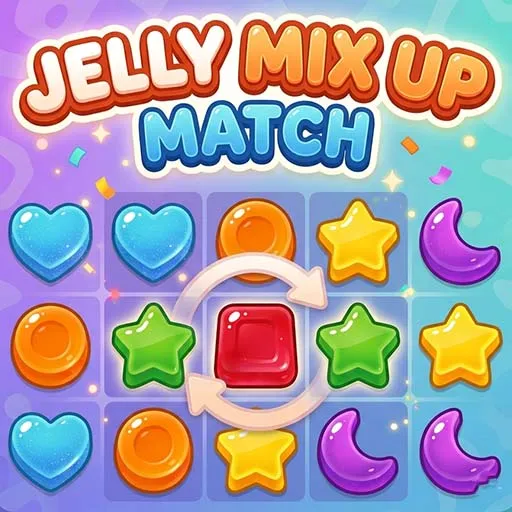
About Match puzzle Games
Match puzzle games are some of the easiest games to understand. You look at the board, find matching pieces, and clear them. A child can learn it in a minute, and that is why people keep playing.
If you want to build your own app, you do not have to start from a blank screen. This category has ready-made match puzzle game source code that you can open in Unity, change, and publish. Depending on what each project supports, you can use it for HTML5, iOS, or Android. You get a working base with a scoring system, levels, and menus, so you can focus on the fun parts: art, ideas, and launch.
Each project on this site is a Unity C# source code package. Some are complete games, and some are strong templates for reskinning. To find out exactly what's inside, read each product page.
What Is Match Puzzle Games Source Code?
The collection of project files that make up a matching game is known as the match puzzle game source code. It includes the scripts, scenes, menus, sounds, and art that make the game run. When you buy it, you get editable files, not just a finished app.
In a match puzzle game, the player joins or removes items that look the same. These can be jellies, dots, bubbles, fruits, or other matching objects. A good match is rewarded with points, and the board changes after every move.
Source code is useful because you can change almost anything. You can swap the pictures, add levels, move the ad spots, and publish the game under your own name. Think of it as a house that is already built. You just choose the paint, the furniture, and the sign on the door.
Key Features Of Our Match Puzzle Games Template
Always check the product site because not every project has the same list. Customers typically search for the following features in a quality match puzzle game template:
- Editable Unity project with full C# scripts
- Clean score system with points and progress
- Level structure that is easy to read and extend
- Match logic for the object type used in the game
- Menus and buttons that you can restyle
- Sounds and music you can replace
- Support for Android, iOS, or HTML5 (listed per product)
- AdMob integration, only if specified on the product page
- Game assets you can swap for your own art
- Documentation or setup notes, when provided
If a feature is not written on the product page, do not assume it is there. Ask before you buy.
Best Match Puzzle Games to Start With
Which one should you pick? Here is a simple guide:
- First-time developer: start with 3 Grid Puzzle Relaxing Game. It is simple to read and modify.
- Want a colorful, popular style: pick Jelly Match 3 Puzzle Game.
- Want something different from clones: try Jelly Mix Up Match Puzzle Game.
- Want a clean, brainy puzzle: go for Crazy Dot Puzzle Game.
- Want more action and aiming: choose Bubble Shooter Match 3 Game.
What to Check Before You Buy On Source Plunge
Buying source code means buying a strong starting point, not a finished business. Check these points first:
- Unity version used in the project
- Real editable source files, not only a build
- Supported platforms
- Project size
- Included assets
- License terms
- Reskin options
- Build requirements
- Ad integration
- Demo or preview availability
- Update history
- Developer support
- Live Chat
- One-time payment
Supported Platforms
Match games are light, so they can run on many devices. Depending on the project, you may be able to build for:
- Android and publish on the Play Store
- iOS and submit to the App Store
- HTML5 and host a playable version on a website
Some projects support only some of these. The product page shows the exact list.
License and Usage Rights
License rules are not the same for every listing, so read the terms before checkout. In general, look for these points:
- Single-project license: build and publish one game.
- Multi-project license: use the code in more than one app or client project.
- Your final build: after you change and finish the game, your final version is yours to publish.
- No resale of base code: the original files cannot be sold again in their unedited form.
Source Plunge shows license details on each product page, so you know what you are getting before you pay.
Who Should Buy Match Puzzle Games Source Code?
- New developers who wish to release their first game without having to start from scratch.
- Students who wish to learn from an actual Unity and C# project.
- Small studios that require a quick foundation for a puzzle game for a client.
- Reskin vendors who create numerous themed games from the same foundation.
- Publishers of casual games who wish to quickly add advertisements and test concepts.
Monetization Options
A lot of individuals purchase a Unity puzzle game project for sale in order to profit from it. A monetized game can use more than one method, but you must check what each product includes.
- Google AdMob: look for banner, interstitial, or rewarded ad support on the product page.
- Rewarded ads: where included, players can watch an ad to get a small in-game help.
- In-app purchases: check whether the project already has a purchase system.
- Other ad networks: if you want a different provider, ask whether the code can support it.
Do not assume that every puzzle game is ready for ads. Check the SDKs, the setup steps, and the platforms before you plan your income.
What Can You Customize After Buying?
Depending on the project, you can usually change these things:
- Game name, icon, and branding
- Pieces, jellies, dots, bubbles, or other matching objects
- Backgrounds and themes
- Menus, buttons, and layout
- Colors, sounds, and music
- Level layouts and difficulty
- Score values and progress
- Ad placement
- New levels and extra content
Beginners can use the project to learn how a match puzzle game works in Unity. Experienced developers can open the scripts and add deeper ideas of their own.
How to Buy And Use the Match Puzzle Games Template?
Buying is simple. Follow these steps:
- Pick the game type that fits your idea
- Open the product page and read the details
- Check the Unity version, platforms, and license
- Look at the demo or preview, if one is given
- Add the project to your cart and pay
- Download the files and open them in Unity
- Replace the art, sounds, and branding
- Set up your ads, build the game, and publish it
At Source Plunge, you can compare affordable projects in one place. Look at the price, the platforms, and the license, then choose the one that fits your budget and your goal.
FAQ's
You get editable project files. Check each product page to confirm what is in the package.
Yes, if the project supports those platforms and you follow the store rules. The product page lists the supported platforms.
Not for simple changes like art, sounds, and colors. For new features, some Unity C# knowledge helps.
That depends on the license. Read the license terms on the product page before you plan client work.
Look for a demo or preview on the product page. If none is shown, ask before buying.
Yes. If you are unsure about a game's features, license, platform, customization options, or other purchase details, contact the available Live support before making your decision.