
Makeover Casual Games
Get the source code for makeover games at Source Plunge. Choose a ready-made Unity template with beauty, makeup, fashion, and creative customization steps. Each complete C# project can be built for Android, iOS, or WebGL, and many are reskin-ready with AdMob. Pick your game at a reasonable price, download it, and launch your own makeover app.



About Makeover Casual Games
Many players enjoy altering their appearance to observe the outcome. A new hairstyle, bright makeup, a fresh outfit, and a big reveal at the end. It feels like play and art at the same time. That is why makeover games stay popular on phones.
You don't have to create each screen yourself if you wish to publish one. This category has ready-made Unity makeover Casual games that you can open, change, test, and release. It is a good start for first-time app owners, small teams, and freelancers who want a working base without waiting for months.
What Is Makeover Games Source Code?
Makeover games source code is the full project that makes a makeover game run. When a player taps a lipstick color and the face changes, that is the code at work.
A Unity makeover project often has these parts:
- C# scripts that manage menus, scores, tools, taps, and drags.
- Character art such as a face, hair, body, or doll with separate layers.
- Makeover items like makeup, hairstyles, clothes, and accessories.
- Scenes for the home screen, the makeover room, and the final result.
- Sounds and effects that make each action feel fun.
Think of a sticker book that lives inside a phone. The pages and stickers are ready. You choose new stickers, new colors, and a new cover, then share it as your own game. Read every product page because every project is unique. Look at the file list, the Unity version, and the screenshots before you decide.
Key Features of Our Makeover Game Templates
Features change from one project to another. These are the points buyers usually look for. Please confirm each one on the product page.
- Complete Unity project with C# source code.
- Creative customization with many items and colors.
- Makeup, hair, fashion, or room design steps, depending on the game.
- 2D or 3D art style, depending on the listing.
- Simple touch controls for phones and tablets.
- Build support for Android, iOS, and WebGL where listed.
- Reskin-ready structure for fast art changes.
- AdMob integrated in some projects.
- Monetization-ready setup for ads and rewards.
Popular Makeover Games in This Category On Source Plunge
These games fit the category:
- Princess Fashion Makeover Game: a dress and style game with a princess theme.
- Eye Art Unity Game: a beauty-style game about eye looks and colors.
- Doll Makeover Game: a cute doll game with styling steps.
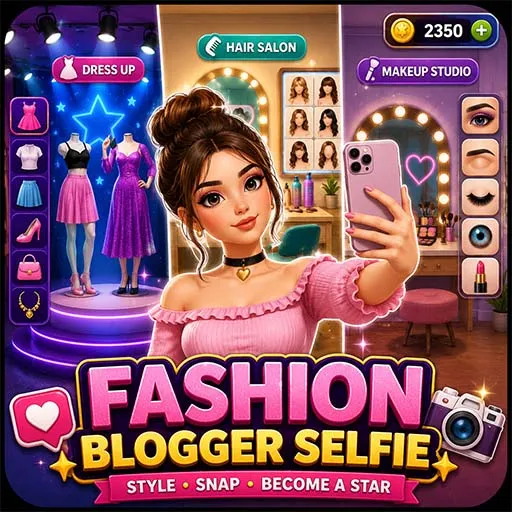
- Fashion Blogger Selfie Game: a styling game that ends with a photo look.
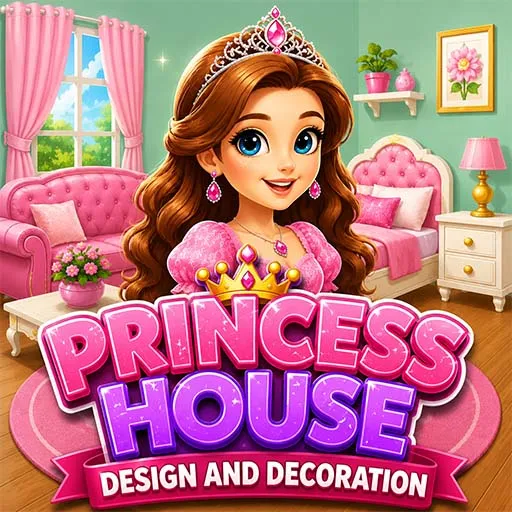
- Princess House Design Game: a room makeover game with decor choices.
Open each product page to see real screenshots, platform support, and the files you receive.
What to Check Before You Buy?
Although it might not be a store-ready app right away, a source code project provides a solid foundation. Check these points first:
- Unity version: does it match the one you use?
- Complete source code: ensure that the entire project is covered.
- Platforms: Android, iOS, and WebGL support.
- Characters, objects, icons, audio, and user interface are among the assets.
- 2D or 3D: pick the one you can edit.
- Plugins and tools: some projects need extra packages.
- Ad setup: see if AdMob is already added.
- How easy is it to change the artwork when reskinning?
- Documentation: setup notes help beginners.
- Last update: newer projects are often easier to open.
- Price details: know what you pay and what you get.
Licensing and Usage Rights
Before you buy, learn what you may do with the files. Ask these questions:
- Can I publish the game under my own name?
- Can I use it in one app or many apps?
- Can I use it for a client?
- Can I resell the raw, unchanged files?
Most sellers do not allow reselling the original code as it is. Terms can differ between listings, so read the license on each product page. If something is unclear, ask before you pay.
Platforms and Technical Details
Many makeover templates are built for phones. Additionally, some are designed for the browser.
- Google Play Store: for Android players.
- Apple App Store: for users of iPhones and iPads.
- WebGL: for websites and game portals.
Also check screen size, portrait or landscape mode, and the Unity version. Do not guess. Read the listing.
Monetization Methods
A monetization-ready makeover game helps you start earning sooner. Common options include:
- Banner and interstitial ads: shown in menus or between screens, where AdMob is integrated.
- Rewarded ads: the player watches a short video to unlock a hairstyle, a color pack, or a new outfit.
- In-app purchases: premium item packs, themes, or ad removal.
- Reskin and republish: one base turned into several themed games.
- Client work: a branded makeover game for a shop or a brand.
Test your ads before launch, and follow store rules, especially for kids' games.
Who Can Buy Makeover Game Templates?
- Beginner developers who want to learn from a working Unity project
- First-time app owners who want a fast, simple start
- Small studios that want more casual titles
- Freelancers who do reskin work for clients
- Students who need a portfolio project
- Publishers who release many casual apps
Reskin Ideas to Make Your Game Stand Out
A fresh look makes players stop and tap. Try these ideas:
- Draw a new lead character with a clear style
- Add seasonal looks for summer, winter, or festivals
- Build a theme like bride, school, party, or traditional dress
- Change the makeover room and the background
- Add new hairstyles, makeup colors, and accessories
- Redesign the buttons, icons, and loading screen
- Replace the music and tap sounds
- Write a new store title, description, and screenshots
Small changes add up. After a good reskin, one base project can feel like a brand new game.
How to Buy and Use Makeover Games Source Code?
Buying is simple:
- Browse this category and open the games you like.
- Read the features, platforms, and file list.
- Check the license and support details.
- Click Shop Now and place your order.
- Download your project files.
- Open the project in Unity and follow the setup notes.
- Change the art, sounds, and text, then test on a real phone.
- Publish on the Play Store, App Store, or the web.
Source Plunge keeps the steps short, so you can spend your time on your game and not on paperwork.
FAQ's
Basic Unity skills help. Beginners can still do simple reskins by swapping images, sounds, and text.
Yes. Adding your own art is one of the main reasons people buy templates.
It can, if you change nothing. A strong reskin makes yours unique.
Yes, if you follow each store's rules. Change the name, icon, and branding.
Read the setup notes first, then contact the seller with a clear note about the problem