
Exploration Adventure Games
Shop exploration adventure game source code on Source Plunge. Find reskin-ready 3D Unity C# projects with open-world maps, building tools, and environmental interaction. Check the platforms for Android, iOS, and HTML5, compare a few templates, add AdMob, and publish to the Play Store or App Store. Download at a fair price today.


About Exploration Adventure Games
Some games are about winning. Others are about wandering. In an exploration game, the player walks, climbs, digs, builds, and slowly learns what the world is hiding. No timer is shouting at them, and that calm feeling is why people stay for hours.
If you want to make a game like that, you do not have to build a whole world from nothing. This page lists adventure game templates that already have a map, a hero, and working controls. Your job is to give the world its own look and its own story.
Every project here is made for Unity and written in C#. You can look at the platforms, compare the styles, and pick the base that fits your plan.
What Is Exploration Adventure Games Source Code?
An exploration game lets the player decide where to go. There is no single road. The player looks around, finds things, and reacts to what is nearby. Many popular ones also let you collect blocks, place them, and shape the land.
Exploration adventure games source code is the full project behind such a game. It is the real game, opened up so you can read it and change it. Inside a project, you will usually find:
- Scenes, menus, and map areas.
- C# scripts for movement, camera, items, and building.
- 3D models, textures, sounds, and fonts.
- Build settings for Android, iOS, or HTML5.
This is not a finished app waiting in a store. It is a working base. Swap the models, repaint the textures, change the music, rename the world, and it becomes your game.
Features to Look For in Exploration Game Templates
Projects are not all the same, so read each product page with care. Here are the things buyers check most often in this category:
- Open-world style maps: wide areas the player can walk through freely.
- Environmental interaction: the player can touch, break, collect, or place things in the world.
- Player movement and camera: walking, jumping, and a view that follows the hero.
- Block or item system: pick up materials and use them to build.
- Simple mobile controls: on-screen buttons or sticks that feel easy on a phone.
- Reskin-ready files: models, textures, and sounds you can replace without breaking the game.
- Clean C# source code: scripts that are neat enough to read and extend.
- Ad setup: some projects work with AdMob, so you can build monetization-ready games.
If a feature is not on the listing, do not assume it exists. Ask the seller first.
Popular Exploration Games on Source Plunge
Not sure where to start? These three show the range of the category:
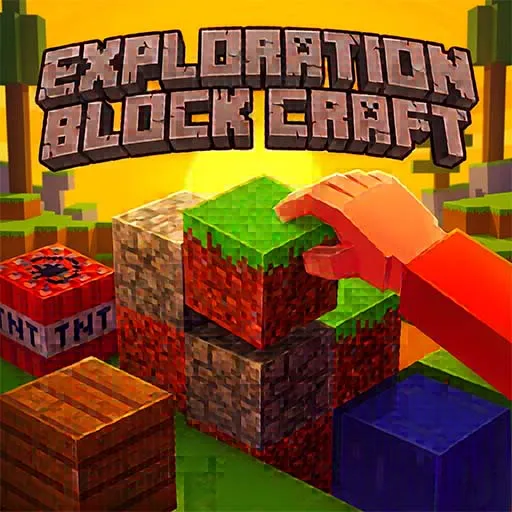
- Exploration Block Craft Game: a classic build-and-explore sandbox.
- Dragon Craft World: a crafting adventure with a magical twist.
- Block Craft World Arcade Game: a lighter, quicker take on block worlds.
Open each page, watch the preview if there is one, and think about who your players will be.
What to Check Before You Buy?
Source code is a starting point, not a finished business. Look at these first:
- Unity version used
- Full source code or partial source code
- Supported platforms
- Map size and number of areas
- Which items, blocks, or characters are included
- How easy it is to reskin
- Included sounds, models, textures, and fonts
- Plugins or packages you need to install
- AdMob or other ad setup
- Demo video or playable preview
- License type
- Last update date
- Seller support
- Live Chat Support
Source Plunge shows these details on each product page, so you can compare a few projects before spending money.
License and Usage Rights
Please read this part before you pay. Rules change from seller to seller.
Buyers can usually:
- Change the models, textures, sounds, and map.
- Publish the finished game under their own name or company.
- Earn money with ads or in-app purchases.
Buyers usually cannot:
- Resell the original files without changes.
- Upload the project for free download.
- Share one purchase with other people.
Some assets inside a project may have their own rules, so check the license notes. If something is unclear, ask before you buy.
Where Can You Publish Your Exploration Game?
- Google Play Store: the main place for Android games.
- Apple App Store: for iPhone and iPad players.
- HTML5: for your own website or browser game portals.
Not every project supports all three, so check the export options on the product page. Read each store's rules before you submit. Large open maps can be heavy, so test on a real phone first.
Who Should Buy Exploration Game Templates?
- Beginner developers who want to study how a real Unity world works.
- Small studios that want to launch sooner without a big team.
- Freelancers who reskin games for clients.
- Students who need a project for school or a portfolio.
- Publishers who release many games with different themes.
- Website owners who want a game that keeps visitors on the page.
How to Make Money From an Exploration Game?
Players of these games stay longer, and longer sessions help you earn:
- Ads: banners, full-screen ads between sessions, or a "watch an ad for a reward" button.
- In-app purchases: new skins, block packs, or special items.
- Remove-ads option: one payment for an ad-free world.
- Reskin and relaunch: use one base for several themes, like dragons, farms, or space.
- Client work: customize one project for different customers.
The main systems already work, so your time goes into new content, a clear theme, and good marketing.
How to Buy and Use These Game Templates.
- Browse the games in this category.
- Open a product page and read the details and the license.
- Watch the demo or preview.
- Compare it with one or two other projects.
- Add your pick to the cart and pay.
- Download the files.
- Open the project in the Unity version listed.
- Reskin the world and set up your ads.
- Test on a real phone.
- Publish, read your reviews, and keep improving.
FAQ's
It is source code. You open it in Unity and build the app yourself.
Basic Unity knowledge helps. Changing models, textures, and sounds requires very little code.
Usually no. You can publish your finished game, but you cannot resell the raw files.
No. Source Plunge uses a one-time payment for the listed game source code. After your purchase, you can use the project according to its license without a recurring subscription fee.
Yes. Source Plunge provides live chat support to help you with questions about game source code, product details, licensing, or choosing the right project before you buy.