
Escape Horror Games
Looking for an escape horror game source code? You may open, modify, and reskin pre-made Unity horror templates with complete C# projects from Source Plunge. Change the art, sounds, and name, set up your own ads, and publish on Android, iOS, or WebGL where the project supports it. A faster, cheaper way to launch a scary game.
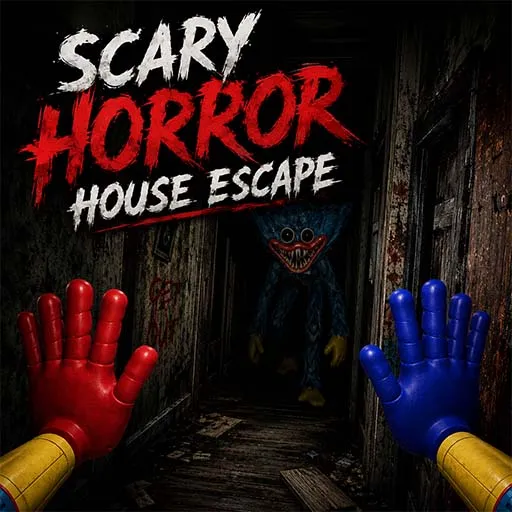
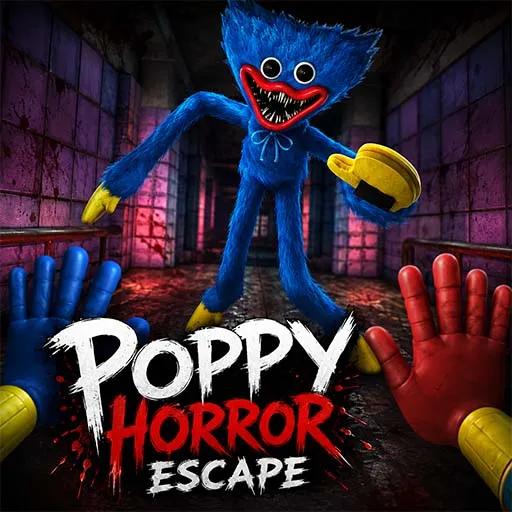


About Escape Horror Games
Do you want to publish a scary game, but you don’t want to spend months building one from scratch? This category can save you that time.
Here you can buy escape horror game source code made in Unity. Every listing is a working game project. You receive the game assets, scenery, and C# scripts. Open the project, test it, change what you like, and prepare it for the Play Store or App Store.
Scary escape games are popular because they mix fear, puzzles, and a simple goal: get out alive. Players enjoy the fear, and developers enjoy the steady demand. Source Plunge brings these ready-made Unity templates together in one place, so you can compare them and pick the one that fits your plan.
What Is Escape Horror Games Source Code?
Escape horror games source code is the full project behind a scary escape game. You don't simply upload a completed app. Think of it as a box of building blocks that already work together. You use them to make your own game.
Most games in this style follow a simple story. The player is stuck in a spooky place, like a house or a shop. They look around, pick up items, open doors, solve small puzzles, and try not to get caught by something creepy. They succeed when they locate the exit.
When you buy the project, you get the files that make all of this work. Because the files are open, you can change them. You can transform a pre-made game into your own by adding new graphics, audio, names, and advertisements.
Many buyers use these projects for reskinning. That means you keep the working game system but change how it looks and sounds, so it feels like a brand-new game.
Key Features of Our Escape Horror Unity Templates
Each project is different, so watch the demo and read the product page before you decide. In general, these are the things buyers look for:
- Full Unity project with C# source code.
- One package that includes game assets, scripts, and scenes.
- Editable files that open normally in Unity.
- A reskin-ready setup for changing art, sounds, and names.
- Android and iOS build support, depending on the project.
- WebGL support in selected projects.
- AdMob integration in selected projects.
- A monetization-ready base for ads.
- An affordable price compared to hiring a team.
- A base that you can build on for Play Store or App Store release.
Not every project has every item. The listing for each game shows what is really inside, so trust that page first.
Popular Escape Horror Games at Source Plunge
These are a few of the well-known titles in this genre. Open each product page to see the demo and the full details.
- Scary Escape Horror Game: A classic scary escape template. It is a good fit if you want a clear and simple project for your first release.
- Horror Father Scary Escape Game: A horror escape project built around a creepy character. It suits developers who like story-style fear and want to give it a new look.
- Escape From The Supermarket: A horror game set in a shop. The place feels real, so the fear feels real too. Pick it if you want a setting that is not a haunted house.
- Scary Baby in Pink Horror Game: An unusual character that catches the eye fast. It can help your game look different in a crowded store list.
What to Check Before You Buy?
You can avoid issues later by making a few quick checks. Before making a payment, review this list:
- Unity version: Is it compatible with the version you now use, or is it safe to upgrade?
- Full or partial files: Make sure you get the complete project, not only some scripts.
- Included assets: Look for models, textures, sounds, and UI files.
- Supported platforms: Check for Android, iOS, and WebGL.
- Demo or gameplay video: Watch it to see how the game really feels.
- File size: A big project needs more space and a stronger computer.
- Plugins or tools: See if anything extra must be installed.
- Ad setup: Find out whether AdMob is already added or needs setup.
- Reskin effort: Ask yourself how easy it is to swap art and sounds.
- License type: Know what you are allowed to do.
- Last update: A newer project often works better with new Unity versions.
- Support: Check whether help is available if you get stuck.
- Total cost: Before you check out, be sure you are aware of the entire cost.
Take your time here. A cautious consumer is a satisfied buyer.
Platforms and Publishing Options
After you finish your edits, you can usually prepare your build for the places below. Always confirm on the product page, because platform support is different for each project.
- Google Play Store: The most common first choice for Android survival horror games. You need your own developer account.
- Apple App Store: For iPhone and iPad players. You need an Apple developer account and a Mac for the final build.
- WebGL: Runs in a browser, which is great for your own site or a web game portal.
- Game portals: Some portals accept browser games, which gives you another place to reach players.
Remember that every store has its own rules. To ensure that your game is accepted, read them before submitting.
License and Usage Rights
A license tells you what you can and cannot do with the project. Reading it before you buy keeps you safe.
These are the common ideas to look for:
- Single-project use: You can use the code in one game that you publish.
- Multi-project or client use: Some licenses allow more than one game or work for clients. Others do not, so check.
- Your finished game: After you change the art, sounds, and name, you publish the final game under your account.
- No raw code resale: In most cases, you cannot sell the original files again as your own template.
License terms can change from one listing to another. If anything is unclear, ask before you buy.
Who Should Buy This Source Code Template?
This category works well for:
- Solo developers who want to launch fast.
- Small studios that need more games in less time.
- Reskin publishers who make new versions of proven games.
- Students who want to learn from a real Unity project.
- App publishers who want to grow a store portfolio.
- Agencies that build games for clients.
If you are brand new to Unity, start with a simple project and learn the basics first. You will enjoy the process more.
Monetization Possibilities
Many people buy a Unity horror template to earn money from it. Here are the usual paths:
- Ads: Banner, interstitial, and rewarded ads, where the project supports them. A rewarded ad can give a hint or an extra try.
- In-app purchases: New skins, extra levels, or helpful items that you add yourself.
- Ad-free upgrade: A small payment for players who do not like ads.
- Reskin and publish more games: Use one working base to make several different games with new themes.
- Client work: Build a branded horror game for a paying client, if your license allows it.
- Web publishing: Place a WebGL build on your site or on a portal that shares ad income.
Projects that are AdMob-integrated or monetization-ready save you setup time. You still need to add your own ad IDs and follow each store’s ad rules.
What You Can Change After You Buy?
Because the files are open, you can shape the game to fit your idea. Depending on the project, you can often change:
- The game name, app icon, and splash screen.
- Textures, colors, lighting, and the mood of the scenes.
- Sounds, music, and scary effects.
- Menus, buttons, and fonts.
- Item placement, puzzle steps, and level layout.
- Difficulty and score rules.
- Ad IDs, ad timing, and monetization settings.
- The final build for your chosen platform.
A beginner can learn how a horror escape game is put together just by exploring it. An experienced developer can write new C# scripts and add ideas that no other game has.
How to Buy and Use an Escape Horror Games Template?
- Browse this category and open the games you like.
- Watch the demo and read the product details.
- Check the Unity version, platforms, and license.
- Add your chosen project to the cart.
- Complete the payment.
- Download the files and open them in Unity.
- Test the game, then reskin it.
- Build and publish on your chosen store.
FAQ's
Yes, if you pick a simple project and know the basics of Unity. Start by changing the art and sounds.
You get the Unity project with the code and assets. You do the editing, building, and publishing.
Usually, yes, if you have the new model or art. How easy it is depends on the project.
For most small teams, yes. You save a lot of time, and time is money.
Usually no. Read the license first, or ask before buying.
Yes. Source Plunge offers live chat support. You can ask about the Unity version, project files, platform support, or reskinning before and after you buy.
It is a one-time payment with no hidden charges. Only outside costs apply, such as a Google Play or Apple developer account.