
Endless Runner Games
Looking for endless runner games source code? Source Plunge lists ready-made Unity C# running projects in 2D and 3D. Check player movement, coin collection, score system, and rising difficulty; compare templates for Android, iOS, and WebGL. Reskin the art, add AdMob, test it, and publish it on the Play Store or App Store. Download at an affordable price.


About Endless Runner Games
Think about the last time you played a runner game. You said "just one more try," and twenty minutes disappeared. That is the power of this genre, and it is why developers keep coming back to it.
This page is for people who want to build that kind of game fast. Here you can buy endless runner game templates that already run, already score points, and already get harder as the player goes on. You do the fun part: give it a new look, add your ads, and launch.
Every project here is built for Unity and written in C#. You can compare 2D and 3D styles, check the platforms, and pick the one that matches your idea.
What Is Endless Runner Games Source Code?
An endless runner is a game where the hero keeps moving forward on its own. The player only decides when to jump, slide, turn, or dodge. The road never ends, so the only goal is to go farther than last time.
Endless runner games source code is the project behind that game. It is a real working game, but it is open-source so you can edit it. Most projects in this category are Unity runner games, and you will usually find:
- Scenes, menus, and game screens.
- C# scripts for player movement, obstacles, and the score system.
- Models, sprites, sounds, and fonts.
- Build settings for Android, iOS, or WebGL.
You are not buying a finished app from a store. You are buying a strong starting point. Change the hero, the world, the music, and the colors, and it becomes your own game.
Features to Look For in Endless Runner Templates
Each project is different, so always read the product page. These are the parts that buyers usually care about most:
- Player movement: running, jumping, sliding, or switching lanes, depending on the game.
- Coin collection: pick-up items that give players a reason to keep going.
- Score system: the distance or points counter, plus a saved best score.
- Increasing difficulty: the speed or the obstacles grow as the run gets longer.
- Obstacle and road spawning: the track keeps appearing in front of the player.
- Simple controls: taps or swipes that feel natural on a phone.
- Clean Unity source code: scripts that are tidy enough for you to read and change.
- Ad setup: many projects include AdMob, which helps you build monetization-ready Unity games.
If a feature is missing from the listing, do not guess. Ask the seller before you pay.
Popular Endless Runner Games on Source Plunge
Not sure where to begin? These five show how wide the category is:
- Tunnel Twist 3D Game: fast turns inside a twisting tunnel.
- Endless Ball Runner Game: easy, smooth, and great for quick sessions.
- Cat Running Game 3D: a cute hero and a bright 3D world.
- Train Endless Running Game: speed, tracks, and moving danger.
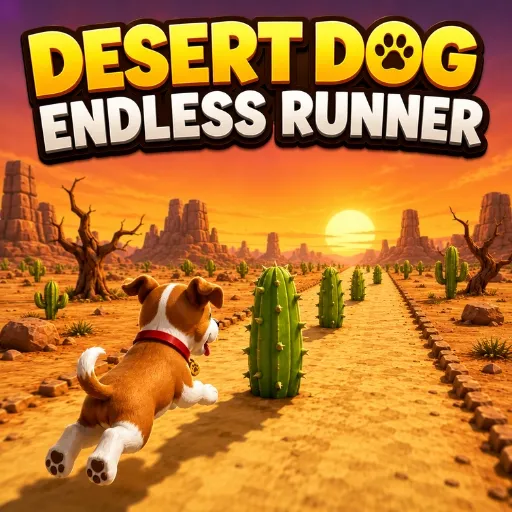
- Desert Dog Endless Runner Game: a themed adventure with a loyal animal hero.
Open each page, watch the preview if there is one, and ask yourself one question: which of these would my players enjoy most?
What to Check Before You Buy?
Source code is a base to build on, not a finished business. Look at these things first:
- Unity version used
- Full source code or partial source code
- 2D or 3D style
- Platforms supported (Android, iOS, WebGL)
- Number of characters, worlds, and levels
- How easy it is to reskin
- Included sounds, models, fonts, and animations
- Plugins or packages you need to install
- AdMob or other ad setup
- Demo video or playable preview
- License type
- Last update date
- Seller support
- Live Chat Support
Source Plunge puts these details on the product pages, so you can compare a few runner projects side by side before choosing.
License and Usage Rights
Do not skip this part. Rules change from seller to seller, so read the license before you pay.
Buyers can usually:
- Change the art, sounds, characters, and levels.
- Publish the finished game under their own name or company.
- Earn money with ads or in-app purchases.
Buyers usually cannot:
- Resell the original files as they are.
- Post the project online for free download.
- Share one purchase with many people.
If a line is unclear, ask first. It is much easier than fixing a problem later.
Where Can You Publish Your Runner Game?
- Google Play Store: the main home for Android games.
- Apple App Store: for iPhone and iPad players.
- WebGL: for your own website or browser game portals.
Platform support is different for each project, so check the export options on the product page. Also read the rules of each store before you submit your build.
Who Should Buy Endless Runner Game Templates?
- Beginner developers who want to see how a real Unity runner is built.
- Small studios that want to launch sooner and spend less.
- Freelancers who reskin games for paying clients.
- Students who need a project for school or a portfolio.
- Publishers who release many games with different themes.
- Website owners who want a simple game to keep visitors on the page longer.
How to Make Money From a Runner Game
Runner games are built for repeat play, and repeat play is good for earning:
- Ads: banners, full-screen ads after a run, or a "watch an ad to continue" button.
- In-app purchases: new heroes, skins, or coin packs.
- Remove-ads option: one payment for a clean, ad-free game.
- Reskin and relaunch: use one base to make several games with new themes.
- Client work: customize one project for different customers.
The core game already works, so your time goes into fresh art, fair difficulty, and good promotion. That is where most successful runners win.
How to Buy and Use Endless Runner Game Source Code?
Buying a ready-made Unity project is simple:
- Choose a game that matches your idea.
- Open the product details and review the features.
- Try the live demo when one is available.
- Check the source code and platform information.
- Review the license before purchasing.
- Choose the required license or available options.
- Complete your purchase.
- Download the project and open it in the required Unity version.
- Customize the game with your own branding, assets, and design.
- Build and publish it according to the project's requirements and license.
FAQ's
It is source code. You open it in Unity and build the app yourself.
Basic Unity knowledge helps a lot. Changing art, sounds, and colors needs very little code.
2D is lighter and simpler to edit. 3D looks more exciting and often gets more attention in stores.
That depends on the seller. Read the last update date and the support details first.
Usually no. You can publish your finished game, but not resell the raw files.