
Breaker Games
Buy the breaker games source code and start your own brick breaker project today. These Unity C# templates come with full source files, level progression, a score system, and breakable blocks. Customize the art, add AdMob ads, and publish on Android, iOS, or WebGL. Watch the live preview, then download now.


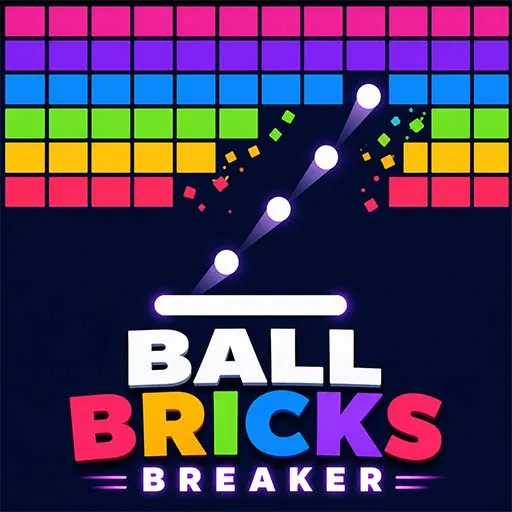
About Breaker Games
Everyone knows the feeling of a ball bouncing off a paddle and smashing a wall of bricks. Breaker games are simple, fast, and hard to stop playing. That is why brick breaker titles stay popular on the Play Store and App Store year after year.
Building one from scratch means writing ball physics, paddle control, brick logic, levels, scoring, menus, and ads. A ready-made breaker games Unity template gives you a working base, so you can focus on what makes your game different. On Source Plunge, you can browse complete breaker projects, watch the live preview, and choose the one that fits your plan.
What Is Breaker Games Source Code?
Breaker games source code is the full Unity project behind a brick breaker game. You get the scenes, the C# scripts, the game assets, and the source files. You can open it in Unity, change it, and build it for your own store page.
In a breaker game, the player moves a paddle to keep a ball in play. The ball hits bricks, and the bricks break. When all bricks are gone, the level is done. If the ball falls, the player loses a try.
Because you get the real project and not just a finished app, you can change the look, the levels, the sounds, and the ads. That is why many developers choose to buy Unity breaker game source code instead of starting with an empty project.
Key Features of Our Breaker Game Templates
Features are different in each project, so always read the product page and watch the preview. In general, this category offers:
- Unity C# source code: clean scripts you can read and edit.
- Breakable blocks: bricks that disappear when the ball hits them.
- Multiple-hit bricks: in some projects, tougher bricks need more than one hit.
- Level progression: players move from one level to the next.
- Score system: points for breaking bricks, so players want to beat their best score.
- 2D and 3D options: pick the visual style that suits your audience.
- Customizable design: change the ball, paddle, bricks, backgrounds, and UI.
- Monetization ready: AdMob can be added for banner, interstitial, and rewarded ads.
- Multi-platform builds: Android, iOS, and WebGL are supported through Unity.
- Reasonable price: much cheaper than paying a team to build the same base.
Best Breaker Games Template On Source Plunge
Here are some popular projects in this category. Open each product page for the preview and exact details.
- Ball Bricks Breaker Game: a ball-and-bricks arcade project built around the classic breaker loop.
- Gentle BallX Breaker Game: a calm, easy-going breaker for players who like a softer pace.
- Block Breaker Bricks Game: a block-smashing arcade game that is simple to learn and quick to replay.
- Break It Bricks Game: a straightforward brick breaker with a clean, casual feel.
What to Check Before You Buy On Source Plunge?
Buying source code is not the same as buying a finished game. You are buying a base to build on, so check these points first:
- The Unity version used by the project
- Whether the full source code is included
- Supported platforms
- Which art, sounds, and assets come in the download
- The license type
- How easy it is to reskin
- Whether AdMob or another ad setup is included
- Whether a live preview is available
- Support from the seller
Licensing and Usage Rights
Know what you are allowed to do before you pay. License terms can differ between listings, so read the product page. In general:
- A single-use license covers one published game.
- An extended license covers more than one project or client work.
- You can publish your own customized version.
- You cannot resell the original, unedited source files.
Platforms You Can Publish On After Buying
- Google Play (Android): the most common target for arcade games.
- App Store (iOS): Unity supports it, but you need a Mac and an Apple developer account.
- WebGL (Browser): some projects can run in a browser on your own website.
Test on a real device before you publish. Controls and speed may need small fixes, and each store has its own rules for app size, content, and ads.
Monetization Options
Many breaker templates are built so you can add ads and start earning:
- AdMob support: connect your own AdMob account.
- Rewarded ads: give players a bonus, like an extra ball, for watching an ad.
- Interstitial ads: show an ad between levels.
- Banner ads: small ads at the edge of the screen.
- Adjustable placement: tune ads so they do not spoil the fun.
Check each listing to see which ad options it includes.
Who Should Buy Breaker Games Source Code?
- Indie developers: launch a casual game without building every part alone.
- Small studios: add a new arcade title to your catalog quickly.
- Freelancers: deliver client projects faster with a solid base.
- Students and beginners: study how a real Unity game is organized.
- Publishers: grow a portfolio of simple, popular casual games.
What You Can Customize After Buying?
Depending on the project, you can usually change:
Game name, icon, and branding
- Ball, paddle, and brick designs
- Backgrounds and themes
- Menus, buttons, and UI layout
- Colors, sounds, and music
- Level layouts and difficulty
- Score values and progression
- Ad placement and monetization
- New levels and extra content
Beginners can use a tidy Unity project to learn how a brick breaker works. Experienced developers can edit the scripts and add deeper gameplay ideas.
How to Buy and Use a Breaker Games Template?
Buying a breaker game project should be simple:
- Choose a project that matches your game idea.
- Check the features and confirm what is included.
- Review platform support for Android, iOS, WebGL, or other targets.
- Check the Unity version required to open the project.
- Review the license and commercial usage conditions.
- Check customization options if you plan to reskin the game.
- Confirm monetization features such as AdMob only if listed.
- Complete your purchase through the marketplace.
- Download the project and open it in the supported Unity version.
- Customize, test, and prepare your game for your chosen platform.
FAQ's
Yes, after you customize and test it. Follow each store's rules, and remember that iOS requires a Mac and an Apple Developer account.
Basic Unity knowledge helps. Changing art, sounds, and UI is easy for beginners. Bigger gameplay changes need C# skills.
Both styles exist in this category. Check each listing to see which one you are getting.
No. You can sell your own finished, customized game, but not the raw original files.
Most listings offer a live preview, so you can see the game before you pay.