
Crafting Survival Games
Looking for crafting survival game source code? For players who enjoy building, gathering, and surviving, Source Plunge provides Unity templates and complete game projects. Get C# source files, game assets, and reskin-ready builds for Android, iOS, and HTML5. Check the live demo, pick your project, and shop now at an affordable price.


About Crafting Survival Games
Do you want to launch your own crafting and survival games without starting from zero? You are in the right place.
This category has ready-made Unity game projects where players collect things, build items, and try to stay alive. Each project comes with C# source files, so you can open it, change it, and make it yours. Developers, studios, and first-time app owners all browse this page.
Making a game from scratch takes many months. A ready project saves that time. You select a game, alter its appearance, add your own advertisements, and release it. It is a simple way to enter the dedicated gaming market.
What Is Crafting Survival Games Source Code?
Crafting survival games source code is the full set of files behind a game where the player gathers things, makes tools, and survives. Think of it like the recipe and the kitchen together. You get the code, the scenes, and the project setup, so you can build the game on your own computer.
In this kind of game, the player usually walks around a world and collects resources like wood and stone. They use those resources to make new things. They must also keep an eye on their health. This is why the crafting system and the health system are the two heart parts of the code.
When you buy from Source Plunge, you get a Unity project. You open it in Unity, read the C# scripts, and change what you like. You can change the characters, the colors, the sounds, and the menus. The game still runs on the same working base.
Key Features of Our Crafting Games Template
Every project is different, so always read the product page. These are the features that crafting survival templates in this category usually focus on:
- Crafting system: the player collects items and makes new ones.
- Health system: health goes down, and the player must stay alive.
- Full Unity project: open it and work right away.
- C# source files: clean scripts you can read and edit.
- Game assets included: models, sprites, sounds, and UI where listed.
- Reskin-ready setup: swap art and themes with less work.
- Platform support: Android, iOS, and HTML5 where listed.
- Monetization-ready: AdMob integration where the project supports it.
- Live demo available: try the game before you pay.
- Source code download: get your files after checkout.
- Affordable price: much lower than paying a team to build it.
Some projects have more, and some have less. The product page is always the final word.
Popular Crafting Survival Games in This Category
These are a few of Source Plunge's most popular projects at the moment:
- Block Craft World Arcade Game: a block-style crafting game for casual players.
- Aircraft Fly For Fun Game: a light, fun arcade project with an easy play style.
- Dragon Craft World: a fantasy-flavored world that stands out in app stores.
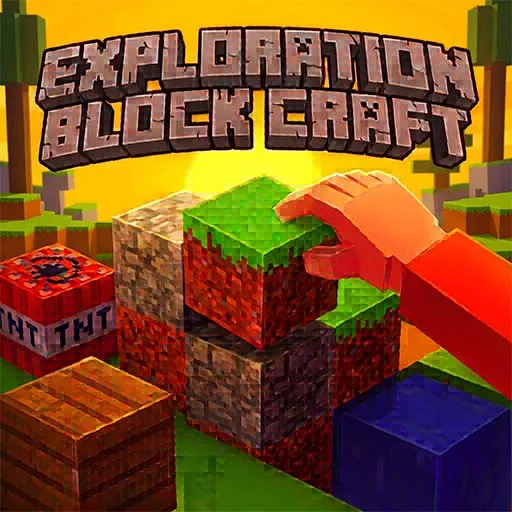
- Exploration Block Craft Game: a game built around walking, finding, and collecting.
Open each page, watch the demo, and read the file list. Do this for two or three games before you decide. It only takes a few minutes, and it helps you pick the right base.
What to Check Before You Buy These Games On Source Plunge?
A good purchase starts with a good checklist. Look for these things on the product page:
- Unity version used in the project
- Full source code access
- Supported platforms
- Project file size
- Included art, sounds, and assets
- License terms
- Reskin options
- Build requirements
- Ad and in-app purchase setup
- Live demo or video preview
- Update history
- Developer support
- Live Chat Support
- One-time Payment
If something is missing, ask before you pay. You can avoid days of trouble with just one brief message.
Licensing and Usage Rights
Always know your rights first. Every product page shows its license. In simple words:
- Single-project license: use the code for one game.
- Multi-project license: reuse the code across more than one app or client project.
- Your finished version: once you change and rebuild the game, your finished version is yours to publish.
- No reselling as-is: you cannot sell the original files again in their raw form.
License terms can differ from game to game. Read them before checkout.
Where Can You Publish After Buying?
After you buy from Source Plunge, you can take your build live on:
- Google Play Store for Android players.
- Apple App Store for users of iPhones and iPads.
- HTML5 or WebGL for websites and web game portals.
- Third-party game portals for extra reach.
Not every project supports every platform by default. Check the export notes on the product page first.
Monetization Ideas
Making money is easier when the project is monetization-ready. Depending on the game and license, you can use:
- AdMob integration for banner and full-screen ads.
- Unity Ads where the project supports them.
- Rewarded ads so players can watch a video for a bonus.
- In-app purchases for items, packs, or upgrades.
- Cosmetic items like skins and themes.
- Ad-free upgrade for players who dislike ads.
Think about the player first. A fair game with small, smart ads keeps players longer than a game full of pop-ups.
How to Buy and Use Crafting Survival Games Templates?
Follow these steps to find a project that matches your requirements.
- Browse the category: Explore available crafting and survival game templates on Source Plunge.
- Choose your game style: Decide whether you want block crafting, fantasy exploration, resource gathering, or another survival concept.
- Try the demo: Test the available gameplay and controls before buying.
- Check the source files: Confirm whether the full Unity project and required C# files are included.
- Review compatibility: Check the Unity version and the platforms supported by the project.
- Inspect the features: Confirm that crafting, health, inventory, building, or other required systems are actually included.
- Check the license: Make sure the terms allow your planned customization and commercial use.
- Compare the price: Consider the included features, assets, documentation, and any extra costs.
- Purchase and download: Follow the marketplace checkout and delivery instructions for the selected product.
- Customize and test: Make your changes, test the gameplay, and prepare platform-specific builds before publishing.
Checking these details before purchasing can help you avoid choosing a project that does not fit your plans.
FAQ's
Yes. All projects are built so you can swap the art, sounds, and colors. A reskin-ready project makes this easier, but the amount of work depends on the game.
Basic Unity knowledge helps a lot. For small changes like art and ads, you do not need deep coding. For new features, you will need some C#.
Each page shows the Unity version used. If yours is different, you may need to upgrade the project, so read the notes first.
No. You can publish your modified game, but you cannot resell the original files as they are.
Contact the Source Plunge team and share your Unity version and the error you see. Clear details get faster help.